 Scanoria
What Pro adds
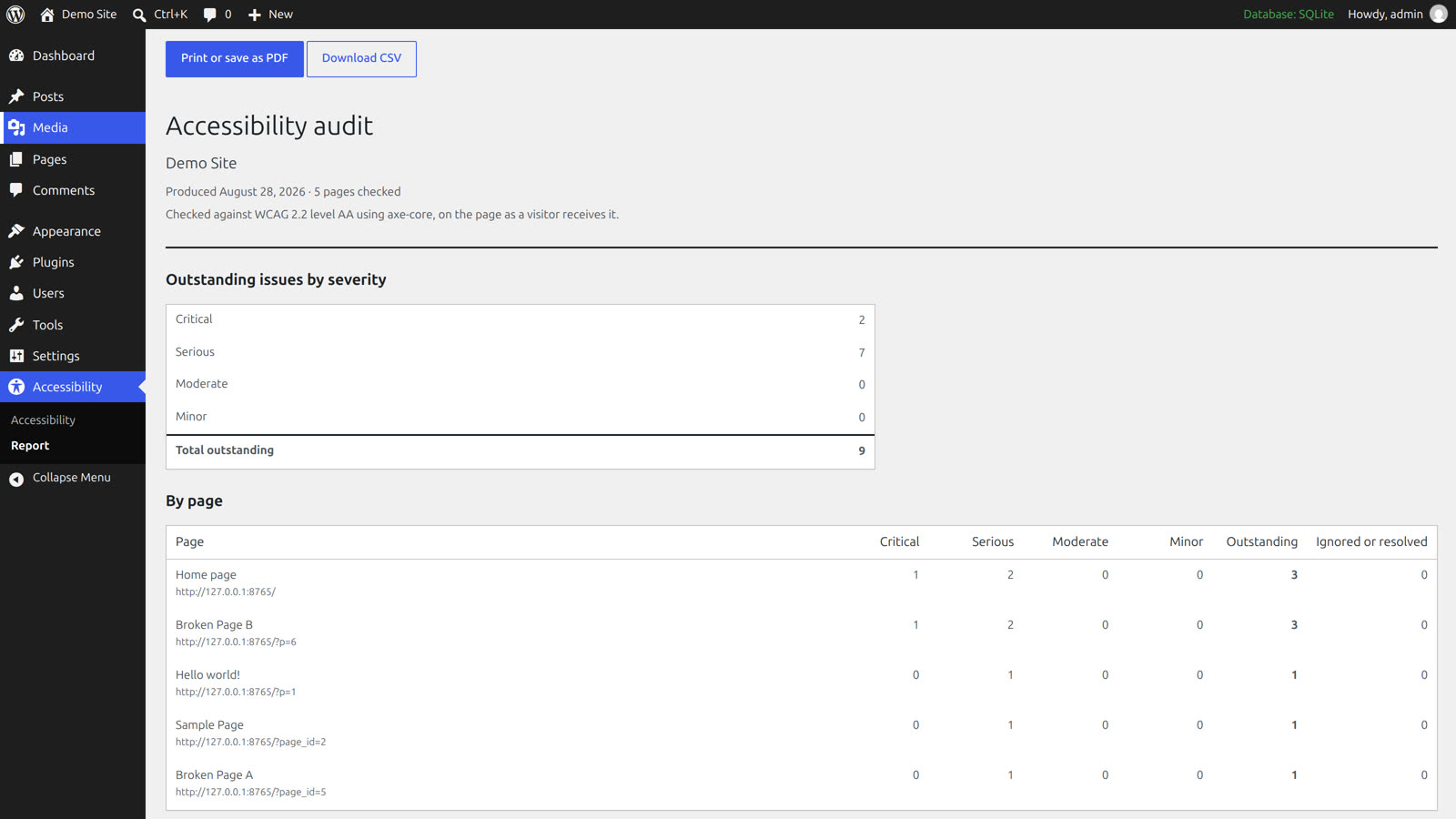
- Printable reportOutstanding issues by severity and by page, ready to print or save as PDF from the browser. Produced from your own site, with nothing sent anywhere.
- CSV exportEvery finding with its page, rule, WCAG criterion, severity and your decision, for a spreadsheet or a ticket tracker.
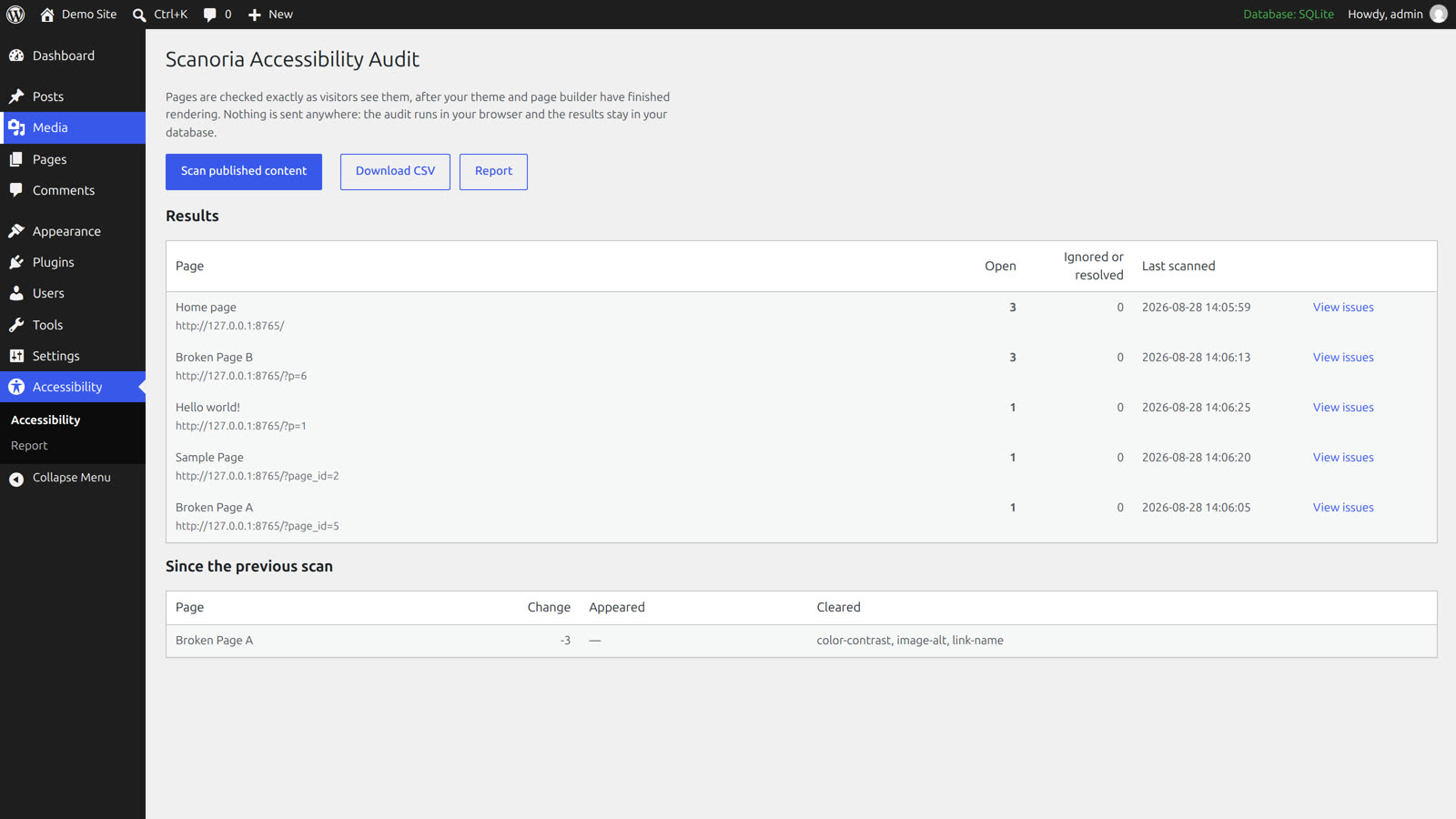
- Scan historyEach scan is kept, and the audit screen shows which issues appeared and which cleared since the previous one.
How to get started
- Install the free Scanoria Accessibility Audit from WordPress.org, if you have not already.
- Buy Pro. The receipt email contains your licence key and the download.
- Upload Scanoria Pro under Plugins → Add New → Upload, activate it, and choose Activate License on the Plugins screen.
Questions
- Does Pro send my site's data anywhere?
- The scans still run in your browser and the results stay in your database. The licence check contacts Freemius to confirm your key is valid; sending extra diagnostics is off unless you switch it on.
- What happens if I don't renew?
- The Pro screens switch off at the end of the paid year. The free plugin and every decision you recorded keep working.
- Will this make my site compliant?
- No tool can. Automated checks find the machine-detectable part of WCAG quickly; keyboard use, focus order and meaningful text still need a person.
- Where do I ask something else?
- In the plugin's support forum on WordPress.org.